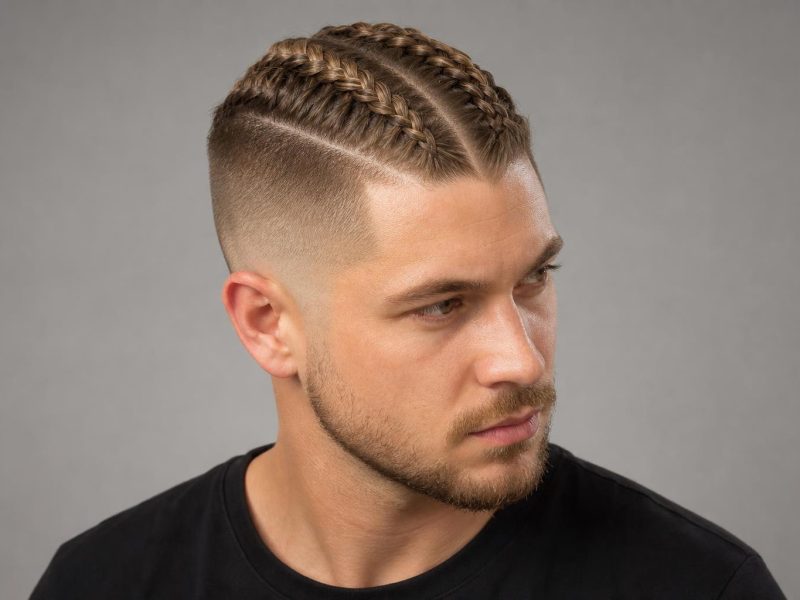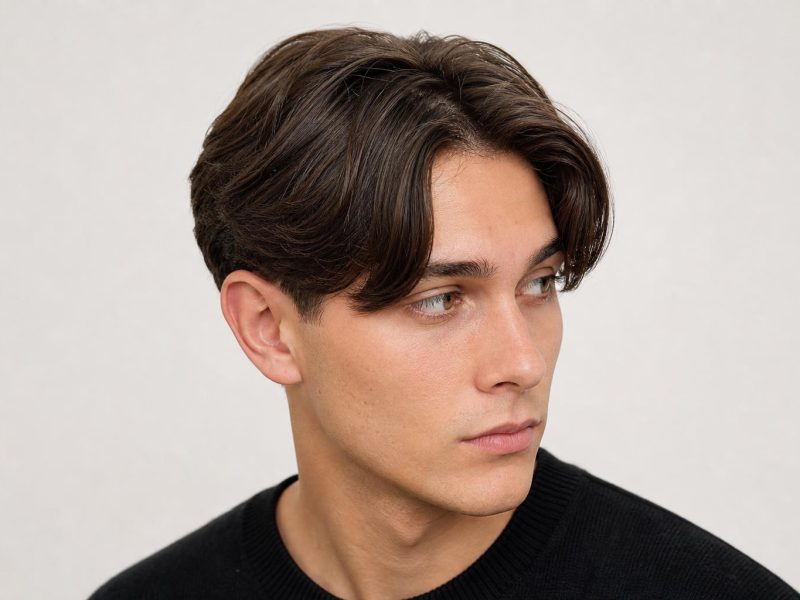



Gemini can generate a surprisingly convincing preview of a new hairstyle from a single selfie, but the gap between the AI image and what actually happens at the salon is what you need to understand before you show that result to your stylist.
Gemini is Google’s AI assistant, and you can upload a photo of yourself, describe a hairstyle, and receive a generated image showing what that style might look like on you. The tool is not a dedicated hair try-on app. It uses image-generation capabilities to synthesize a visual interpretation of the hair change, drawing on its training data rather than your actual hair texture, growth pattern, or scalp geometry. The results vary from convincing to noticeably off, depending on your hair type and how precisely you describe the target style.
This guide explains how the generation process works step by step, what the results get right, where they fall short, and how to use an AI-generated preview as a starting point for a real salon conversation rather than a finished blueprint. Sections ahead cover: the step-by-step process, honest performance assessment by hair type, how to write prompts that produce useful results, how to take those results to your stylist, when AI previews are not enough, and a comparison with dedicated hair try-on apps.
What Gemini AI Actually Does with Hairstyle Requests
Gemini accepts an uploaded photo plus a text description and returns a generated image that applies the requested style change to a version of your likeness. This is image synthesis, not augmented reality. Unlike hair-specific try-on apps that map a haircut directly onto your head shape in real time using facial geometry, Gemini builds a new image from scratch based on what a styled version of you would plausibly look like given the prompt. The output is a stylized interpretation, not a photorealistic simulation of what a specific pair of scissors on a specific stylist would produce on your specific scalp.
That distinction matters for setting realistic expectations. Gemini renders hair the way it looks in editorial photos: freshly styled, optimally lit, at its best-case density and texture. What shows up in the AI output may not match what shows up in your bathroom mirror three days after the salon visit, particularly if your hair is fine, highly textured, or has strong growth patterns that affect how a cut falls.
Stylist tip: Think of a Gemini hairstyle image as a mood board visual, not a precise reference photo. Your stylist can use it to understand the direction you want, but they will need to translate that AI concept into what your actual hair texture, density, and face shape can realistically support.
How to Use Gemini for Hairstyle Visualization
A clear, well-lit selfie is the single most important input variable. The quality of your starting photo directly determines how accurate and useful the generated result will be.
Step 1: Upload a Clear, Unfiltered Photo
Use a photo taken in natural daylight or bright, even indoor lighting with hair in its natural resting state or pulled back cleanly. Avoid heavy filters, dramatic side lighting, or angles that obscure your head shape. A front-facing photo or a slight three-quarter angle produces the most useful output. Gemini needs an accurate representation of your face and current hairline to generate a relevant result rather than a generic one.
Step 2: Write a Technically Specific Prompt
Describe the target style using the same vocabulary a stylist would use: include the length, whether you want layers or a blunt finish, any fringe details, and a texture reference. “A shoulder-length layered shag with curtain bangs and a natural wave finish” gives Gemini significantly more to work with than “medium hair with bangs.” The more specific your prompt, the more targeted the output. Include a color description if you are testing a shade change alongside the cut.
Step 3: Iterate Through Multiple Variations
The first output is rarely the most useful. Ask Gemini to adjust the length shorter or longer, change the color, shift the part position, or add or remove fringe. The iterative process is where AI hairstyle generation earns its real value: you can make adjustments in seconds and build up a set of variations that clarify what you actually want. Generate at least three or four variations before settling on reference screenshots.
Step 4: Save the Results That Resonate
Screenshot the outputs that feel closest to the change you want to make. These are your starting references, not finished blueprints. Bring two or three screenshots to your stylist consultation and ask them to assess which elements are achievable given your actual hair texture, density, and natural growth direction.
Where Gemini AI Hairstyle Results Are Most Useful
AI-generated previews are genuinely useful for one specific purpose: visualizing a major directional change before committing. If you have had long hair for years and are considering going short, generating five or six short-hair variations helps you establish whether the change feels right emotionally and visually before you sit in the chair. The same logic applies to significant color shifts. Going from dark brunette to a lighter balayage on brown hair, for example, produces a before-and-after contrast dramatic enough to function as a useful gut-check before booking a color consultation.
AI results also help you understand proportions. Seeing your face with a bob versus a lob, or with fringe versus without, gives you a rough visual baseline even when the generated texture does not precisely match your real hair. The proportional relationships in the image are accurate enough to be informative, even when the rendering quality is imperfect. A hush cut, for instance, is a style that looks dramatically different from long uncut hair, making it an ideal candidate for an AI preview before a consultation, since the overall shape is recognizable even in an imperfect rendering.
Where Gemini AI Hairstyle Results Fall Short
Gemini generates images, not simulations. It cannot account for your natural hair’s growth pattern, how your cowlicks will interact with a new shape, whether your fine hair has the density to hold a shaggy layered cut, or how your curl pattern will behave after a dry cut. The AI renders what the style looks like in its ideal form on a photogenic version of your likeness, not on your hair on an ordinary morning.
Hair texture is the biggest gap. Thick, coarse hair and fine, straight hair behave completely differently when cut to the same length, but a Gemini output tends to render both with similar body and fullness. Color results are also frequently optimistic: a copper balayage preview on dark hair typically looks more vivid and evenly distributed than a colorist can achieve in a single session, particularly on previously uncolored or heavily pigmented hair. AI color previews communicate direction well but should not be treated as a color match or a realistic outcome of one appointment.
Stylist tip from Priya Nair, THP contributor: “When a client shows me an AI hairstyle preview, I use it to understand what they are drawn to: the length, the movement, the fringe, the overall silhouette. But I always do an honest assessment of whether their actual hair will behave like the AI version. Sometimes the answer is yes with the right technique. Sometimes we need to adjust the plan significantly based on their texture and growth pattern.”
| What Gemini Gets Right | What Gemini Gets Wrong |
|---|---|
| Overall length and proportional change | How your specific hair texture behaves at that length |
| Major color direction (lighter vs. darker) | Realistic color achievable in one vs. multiple sessions |
| Fringe placement and general shape | How cowlicks and growth patterns affect fringe in practice |
| Visual gut-check for dramatic style changes | Fine or curly hair density and daily maintenance reality |
| Communicating general direction to a stylist | Predicting how the style looks air-dried or day-three unstyled |
How to Translate a Gemini Result to a Real Salon Conversation
An AI preview is a communication tool, not a contract. Here is how to use it effectively in a consultation.
Show the screenshot alongside a real-world reference from a person with a similar hair texture and density. The AI image communicates direction; the real-world photo communicates what the style actually looks like on natural hair. Using both together gives your stylist a complete picture and prevents the frustration of discovering that your inspiration photo and your actual hair have very little in common.
Describe what you like about the AI version in specific terms: the length, the texture, the fringe shape, the weight at the ends. “I like how light it looks at the ends and how the layers create movement without looking choppy” is far more useful to a stylist than “make it look like this.” Concrete descriptions let your stylist identify which elements are achievable and which need modification based on your hair’s natural behavior.
Ask your stylist directly: “Given my hair texture and growth pattern, what would achieving this actually require?” That question opens an honest conversation about whether the style is achievable as shown, needs adjustments, or is not the right call for your hair type at all. A stylist’s assessment of your natural growth direction and density is something no AI can replicate. For men, this is especially relevant for styles like a mid taper fade or a mohawk fade, where blending geometry is highly dependent on natural hair density and head shape.
When Gemini AI Hairstyle Previews Are Not Enough
AI-generated results are a poor decision tool in certain situations. In each case below, an in-person consultation with a stylist who can physically assess your hair will give you more reliable guidance than any generated image.
- Very fine or thin hair: AI renders fine hair with more body and density than it typically has. A shaggy layered cut that looks full and textured in a Gemini output can look flat and wispy on genuinely fine hair without significant product support daily. Your stylist will often recommend a blunter perimeter and more conservative layering than the AI preview suggests.
- Highly textured or curly hair (3a through 4c): Image-generation models produce curly and coily hair inaccurately, frequently straightening it or approximating the texture imprecisely. For curly hair decisions, real-world references from people with a matching curl pattern are far more reliable than AI outputs. Curly cuts also require dry-cutting technique, which changes how the result lands in ways that a generated image cannot capture.
- Significant color changes on dark or previously processed hair: AI images compress what may be multiple sessions into a single optimistic picture. A colorist needs to assess your current base, porosity, and the number of sessions the change actually requires before you commit to the result shown in the preview.
- Cuts where growth pattern matters: Cowlicks, widow’s peaks, and strong nape growth patterns all affect how a haircut falls. Styles that are sensitive to growth direction, such as a precise fringe, a cropped pixie, or a short faded cut, benefit from a stylist consultation far more than they benefit from an AI preview.
Gemini vs. Dedicated Hair Try-On Apps
Gemini is a general-purpose AI, not a hair-specific tool. Dedicated hair try-on apps use augmented reality to map styles directly to your head shape and facial geometry in real time, which produces a more spatially accurate preview but often at lower visual quality than a Gemini-generated image. The trade-off is between spatial accuracy and visual realism.
| Feature | Gemini AI | Dedicated AR Hair Try-On Apps |
|---|---|---|
| Visual quality | High, editorial-level rendering | Variable, often lower but improving |
| Spatial accuracy | Limited, does not map to head shape | Better, uses facial geometry mapping |
| Color previews | Strong directional results | Varies widely by app |
| Prompt flexibility | High, natural language descriptions | Limited to preset style library |
| Best use case | Major style direction decisions | Quick spatial check on head proportions |
For inspiration and a directional check before a consultation, Gemini is a useful starting tool. For a more precise sense of how a specific cut will sit on your particular head shape, a dedicated AR hair app paired with a stylist consultation gives you better spatial feedback, even if the visual quality is lower.
FAQ
Can Gemini AI Show Me Exactly How a Haircut Will Look on Me?
No. Gemini generates a stylized image based on your photo and description, not a precise simulation of how your hair will behave after cutting. The output reflects what the style looks like in its best-case form, not how it will look on your specific hair texture and growth pattern after a trim. It is a directional reference tool, not a preview guarantee.
What Is the Best Prompt for Gemini AI Hairstyle Generation?
Specific technical descriptions produce better results than vague ones. Include the length, cut structure, fringe type, and texture reference. “Chin-length blunt bob with curtain bangs and a slight wave” produces more useful output than “short hair with bangs.” Using vocabulary your stylist would use gives Gemini more structured input and outputs that work better as salon references.
Can I Use Gemini to Preview a Hair Color Change?
Yes, and color is one of the more useful AI hairstyle applications because the before-and-after contrast is visually dramatic enough to function as a real gut-check. Just understand that AI color results tend to show the ideal outcome after multiple sessions, not what one appointment on your current base will produce. Use the output for directional confirmation rather than as a precise color match or single-session expectation.
Does Face Shape Affect How I Should Interpret Gemini AI Hairstyle Results?
Yes, significantly. Gemini generates a visually plausible result based on your photo, but it does not perform face shape analysis or optimize the cut for your proportions. A style that looks balanced in the AI output may need adjustments in length, layering, or fringe placement to actually work with your face shape. Compare the AI result against face shape guidance for the specific style before your consultation.
Is Gemini AI Hairstyle Generation Free to Use?
Basic use of Gemini is free with a Google account. Access to higher-quality image generation capabilities may require a Google One AI Premium subscription depending on your region and the feature tier available at the time. Check the current Google Gemini pricing page for the most accurate breakdown of what is included at each level.
What Is the Difference Between Gemini and Dedicated Hair Try-On Apps?
Gemini synthesizes a new image using AI, producing higher visual quality but without spatial mapping to your actual head shape. Dedicated hair try-on apps use augmented reality to overlay styles on your photo in real time, which is faster and more spatially accurate but often lower in visual realism. Gemini works better for major style direction decisions; AR apps work better for a quicker spatial check of proportions.
Should I Show My Stylist the Gemini Output?
Yes, with context. Show the AI result alongside a real-world photo of someone with a similar hair texture who has the style you want. Tell your stylist specifically what you like about the AI version: the length, the texture, the fringe shape, the overall silhouette. Asking a stylist to replicate an AI image exactly is an unrealistic brief; using it as one of two or three reference points gives them genuinely useful material to work with.
Using gemini ai hairstyle generation is most effective as one tool in a larger decision process rather than a shortcut around a real consultation. The AI excels at helping you articulate a direction and gut-check a major change before committing. Bring the screenshots that resonate, pair them with real-world references from people with your hair texture, and let your stylist translate both into what your actual hair can achieve.
Hair results vary based on your natural hair type, texture, density, and condition. Always consult with a licensed hairstylist before making significant changes, especially with chemical treatments or dramatic length changes. Photos may show styled results that require professional tools and products to replicate.